What is the real difference between STL, OBJ, and GLB?
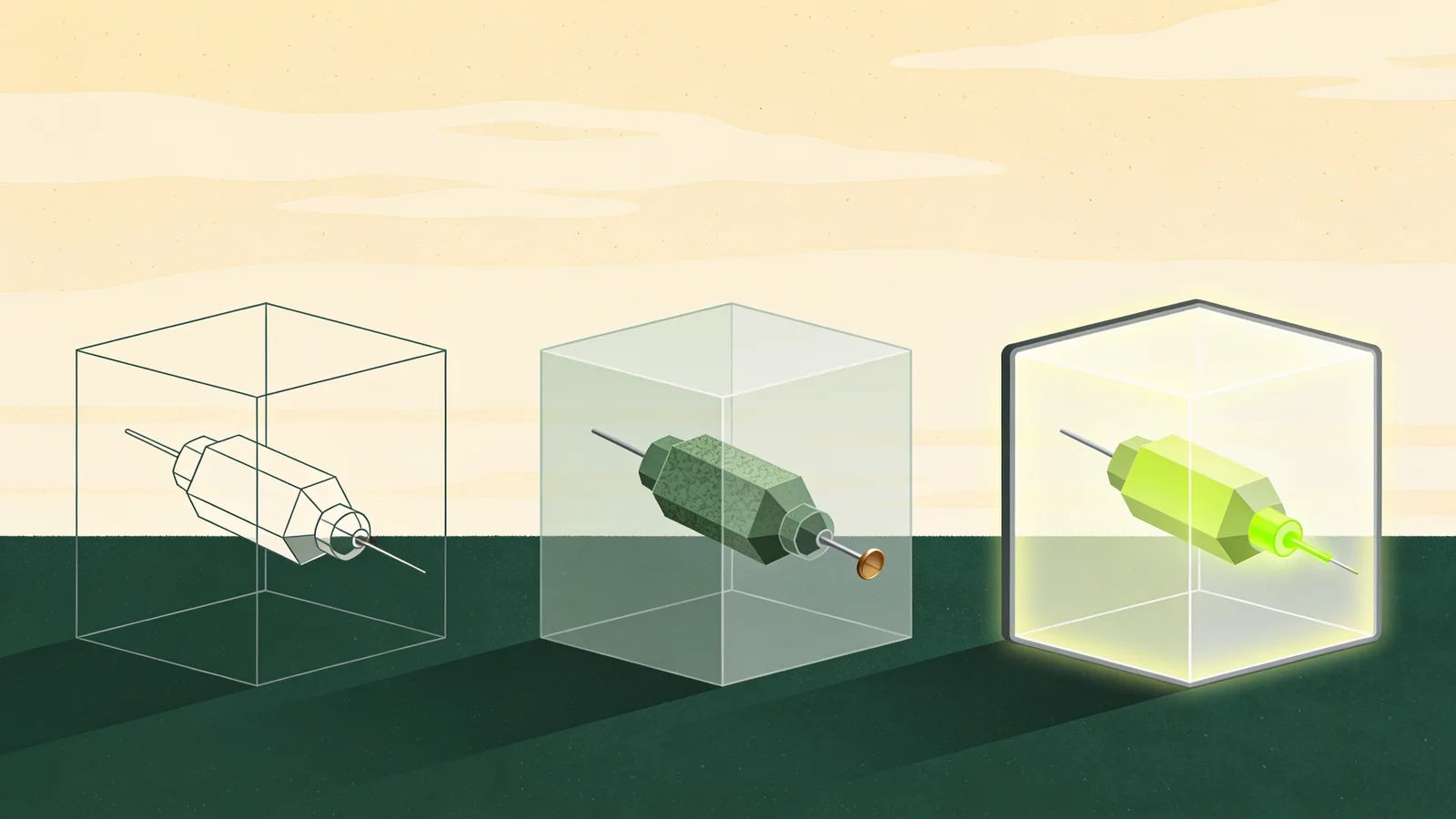
The short version: STL describes shape only, OBJ describes shape plus surface detail like color and texture, and GLB describes shape, texture, and even how the object behaves in a real-time viewer or animation.
They were not built for the same job. STL was created in 1987 for 3D printing. OBJ dates to the late 1980s out of Wavefront Technologies, built for rendering and design software. GLB is the newest of the three, a binary packaging of the glTF format, often called "the JPEG of 3D," designed for the web, apps, and AR.
If you are moving an idea from a napkin sketch toward something a manufacturer, a patent drafter, or an investor can actually look at, the format you choose changes what people can do with your file.
STL vs OBJ vs GLB: which one should you use at a glance?
If you only have a few seconds, here is the comparison in one place.
STL stores shape only. No color, no texture, no material. It is the default for 3D printing because slicer software only needs geometry to generate print instructions.
OBJ stores shape plus surface detail. It pairs mesh data with a separate material file that can define color, texture maps, and reflectivity, which makes it useful for design review where appearance matters.
GLB stores shape, texture, and behavior. It bundles everything, including animation or lighting data, into a single binary file built for web browsers, apps, and AR viewers.
The short way to remember it: STL is for printing, OBJ is for appearance and design review, GLB is for sharing and viewing. None of the three is strictly "better" than the others. Each was built for a different job, and most inventions move through more than one of them on the way from idea to prototype.
Which format should you use for 3D printing a prototype?
STL is still the default for most 3D printers and printing services. It breaks a shape into a mesh of triangles and nothing else. No color, no material, no scale units baked in reliably.
That simplicity is the point. A slicer program only needs geometry to generate print instructions, so STL files tend to be smaller and load faster in printing software than the other two formats.
The tradeoff: if your invention's value depends on a specific color scheme, a printed label, or a textured grip, STL will not carry that information. You would need to add it after printing, or use a different format upstream. This is one reason it helps to get a model reviewed before committing to a build; a piece like how to turn a sketch into a 3D model before you build anything walks through that earlier step.
STL vs OBJ: which one do most inventors need first?
This comes down to what question you are trying to answer right now.
If the question is "will this shape print and fit together correctly," STL is the right starting point. It breaks your design into a mesh of triangles with nothing else attached, which keeps file size down and keeps slicer software focused purely on geometry.
If the question is "what will this actually look like," OBJ is the better starting point. Because it carries a companion material file alongside the mesh, it can show color, texture, and reflectivity, which STL cannot store at all.
In practice, many inventors use both at different points rather than choosing one permanently. A common pattern is starting in OBJ while color and material decisions are still open, then converting to STL once the shape is locked in and a physical print test is the next step. Converting from OBJ down to STL is normal, but it discards the color and material information by design, since STL has nowhere to put it.
Which format should you use if you need color, texture, or material detail?
OBJ is generally the better choice when appearance matters as much as shape. It stores vertex data like STL, but pairs it with a companion material file (usually .mtl) that can define color, texture maps, and reflectivity.
This makes OBJ common in product design software, rendering tools, and anywhere someone needs to see what the finished object will actually look like, not just its outline. A furniture piece, a wearable, or a consumer gadget with branded surfaces often lives in OBJ during the design-review phase.
One practical catch: OBJ files are text-based and can balloon in size on complex models, and because color data sits in a separate file, it is easy to send someone the mesh and forget the material file, which breaks the appearance entirely.
Which format should you use for a website, app, or interactive demo?
GLB is built for that job. It bundles geometry, textures, and even animation or lighting data into a single compact binary file, which is why it loads efficiently in web browsers, mobile apps, and augmented reality viewers.
If part of your validation process involves letting a potential customer, advisor, or accelerator rotate your product on a screen before a physical version exists, GLB is usually the right container. It was designed by the Khronos Group specifically to be a lightweight, ready-to-render format rather than an editing format.
The limitation: GLB is not the native language of most 3D printers or CAD editing tools, so it is rarely the file you start with. It is usually the file you end with, once a design is stable enough to show people.
GLB vs STL: are they interchangeable?
Not really, because they are built for opposite ends of the process.
STL is a shape-only format meant for 3D printers and slicer software. It has no way to carry color, texture, or lighting information, and it is rarely the format you show to someone who is not printing the file themselves.
GLB is the opposite case. It bundles geometry with texture and sometimes animation or lighting data into one compact binary file, designed specifically to load efficiently in browsers, mobile apps, and AR viewers. It is not the native language of most 3D printers or CAD editing tools, so it is rarely where a design starts.
In short, STL is usually the file you print from, and GLB is usually the file you finish with, once a design is stable enough to show other people on a screen. Converting between them is possible, but going from GLB to STL means stripping out texture and material data, since STL cannot hold it.
Do you need all three formats, or just one?
Most inventors end up touching more than one format across the life of a single idea, and that is normal, not a mistake.
A common path looks like this: sketch or CAD model first, exported as OBJ for design review and color decisions, then converted to STL for a physical prototype run, then optionally packaged as GLB for a pitch deck, website, or interactive demo once the design settles.
The order matters less than understanding what each stage needs. Converting between formats after the fact is common practice, and most CAD and 3D modeling tools support exporting to all three, though converting from a texture-rich OBJ or GLB down to a shape-only STL will discard the color and material information by design.
Does the file format matter for a patent application?
A patent application does not require any of these formats directly. What matters for a filing is a clear, accurate technical drawing that shows the structure and function of the invention, and patent drawing conventions have their own separate rules, which are worth understanding before you invest heavily in a photorealistic GLB render for that purpose. The article how do you draw your invention so it actually helps you later covers what that kind of drawing needs to include.
Where a 3D model file genuinely helps is earlier and later in the process: earlier, to clarify your own thinking about how parts fit together, and later, to communicate with a manufacturer, a patent drafter, or a prototyping service. Whether you actually need a model at all before that point is its own question, addressed in do you need a 3D model of your invention before you do anything else.
How do you decide which format to start with?
Start by asking what the very next person who touches your file needs to do with it.
If the next step is a print test at a local shop or an online 3D printing service, lead with STL. If the next step is a design review where color and material choices are still open questions, lead with OBJ. If the next step is showing the idea to someone remotely, in a browser or on a phone, lead with GLB.
This is also the point where it can help to step back and check the idea itself, not just the file format, against what already exists in the market. Before sinking time into a polished model, some inventors run their concept through a structured review that looks at product viability, prior art (existing patents, products, or publications that describe something similar), and the basic financial shape of the idea. EntreDash's free advisory board walks an idea through exactly that kind of check, using a Product Strategist, an IP Consultant, and a Financial Analyst, before anyone spends money on tooling or a manufacturing run.
What are the practical tradeoffs to remember?
STL is the most universal for 3D printing but the most limited in detail. It cannot store color or texture, and different slicer software may interpret its unit scale inconsistently, which is a common source of misprinted prototypes.
OBJ carries far more visual information but at the cost of file size and a two-file dependency (mesh plus material file) that is easy to break when sharing.
GLB is the most self-contained and web-ready, but it is a delivery format, not an editing format, so you will rarely start a design in GLB and will more often finish there.
None of these formats tell you whether the underlying invention is novel, useful, or financially viable. That analysis happens separately, often earlier than most people expect. If you are still at the stage of deciding whether a formal drawing or model is even necessary yet, do you need a formal invention drawing before you file a patent is a useful next read, and EntreDash's how it works page lays out where model-building fits into the broader 0-to-1 sequence, from idea to prior art screening to business case.
What is the one-line takeaway?
Pick the format based on the job in front of you, not habit: STL for printing, OBJ for appearance and design review, GLB for sharing and viewing. Most inventions pass through more than one on the way from idea to prototype, and that is expected, not a sign you did something wrong.